Keep a new or imported campaign Off until its sender, messages, schedule, audience, and reply behavior have all been reviewed.
Prepare the Test
- Select a TCR-approved Wave sending number.
- Keep the campaign Off.
- Add one test contact with a phone number you own or are authorized to use.
- Confirm that the test contact has every field used in the messages, such as a first name.
- Review the campaign's broadcast hours and time zone.
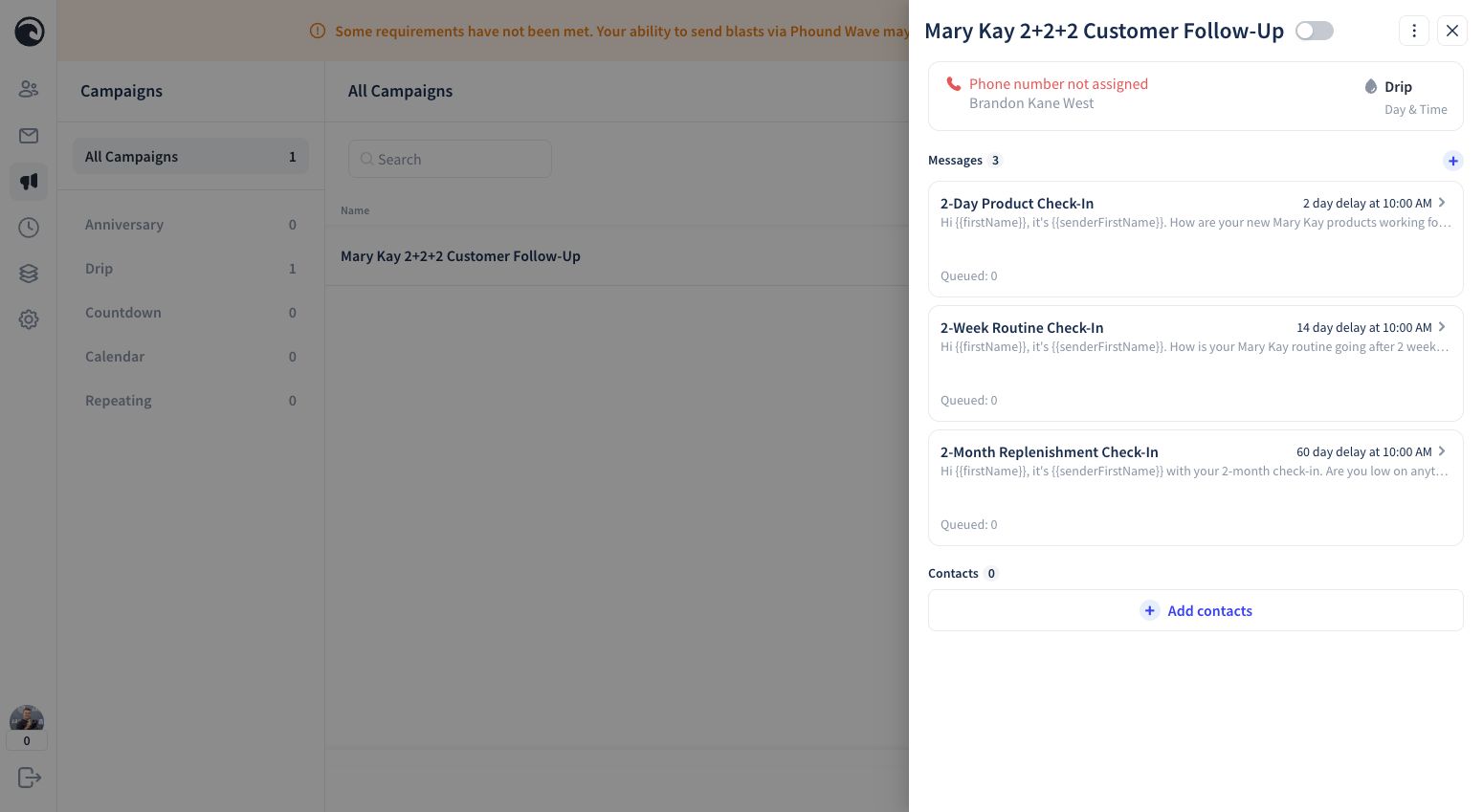
Test Every Message
Use Fast Forward to test each message without waiting for its full delay. During the test:
- Confirm names and other personalization fields render correctly.
- Check spelling, punctuation, links, and message formatting.
- Confirm the sender is the approved number you selected.
- Review the contact Timeline for the expected activity.
- Test an ordinary reply.
- Test the STOP experience.
- Remove the test contact when the test is complete.
Do not Fast Forward a message from a number that is still waiting for TCR approval.
Enable the Campaign
Before switching the campaign On, confirm:
- The correct approved sending number is selected.
- Every message and delay has been reviewed.
- Delivery times fall within your intended broadcast hours.
- Personalization worked in the live test.
- Reply and STOP behavior worked as expected.
- Only eligible contacts who agreed to receive messages will be added.
Switch the campaign On only after every check is complete. Add contacts according to your approved process; adding a contact starts that contact's campaign timing.
Pause Before Making Changes
If you need to adjust the campaign, switch it Off first. Then:
- Review which contacts are currently associated with the campaign.
- Make the message, delay, sender, or reply-setting change.
- Repeat the relevant test.
- Confirm the enable checklist again before switching the campaign back on.
Pausing is a safety control, not a substitute for checking the status of individual contacts. If you are unsure how a change will affect contacts already in a campaign, leave it Off and contact Phound Support before continuing.
For a complete example, see Mary Kay 2+2+2 Follow-Up.