A complete Flow handles both the expected call path and the moments when something fails. Use Record voicemail as a destination, then add failure actions anywhere a transfer can break.
Add Record Voicemail
- Open the Flow and select the blue + where callers should leave a message.
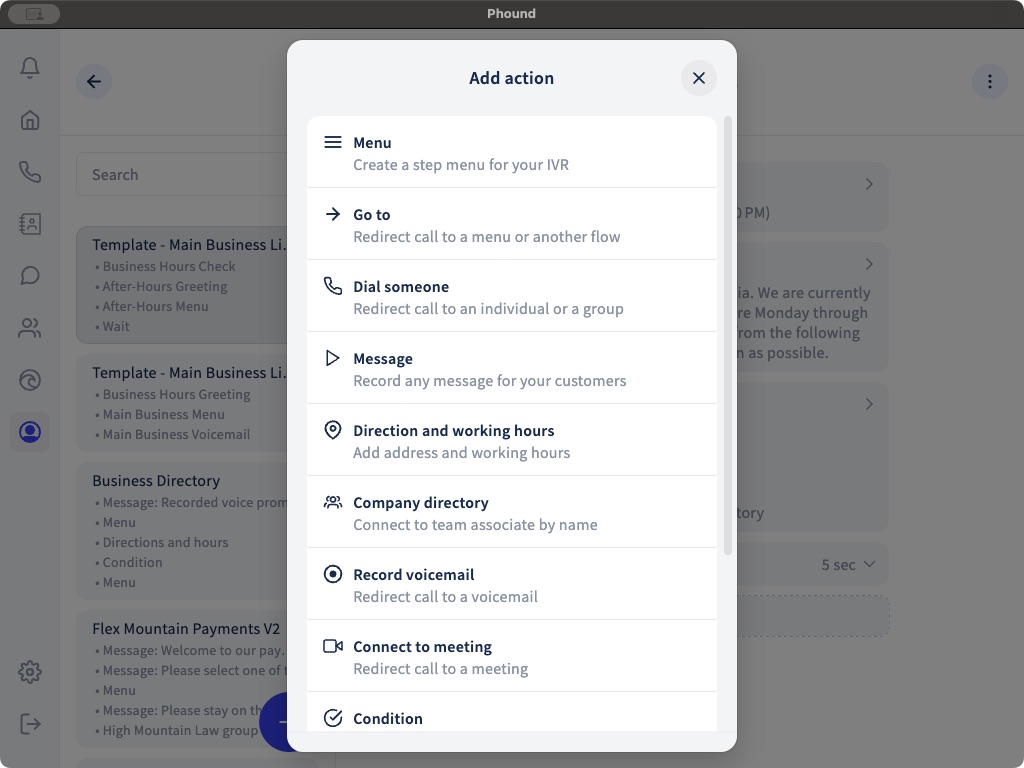
- Select Record voicemail.
- Choose the Phound contact who should receive the voicemail.
- Add an action under Actions if voicemail fails.
The recipient is part of the Flow configuration. Recheck it after copying or importing a Flow and whenever team responsibilities change.
Add a Failure Path After Dialing
Open each Dial someone action and use Actions if dial fails. A clear pattern is:
- Play a short Message, such as
Nobody is available right now. - Add Record voicemail.
- Add a final action for the unlikely case that voicemail also fails.
The same principle applies to Connect to meeting, which also supports fallback actions.
Keep the Fallback Short
The caller already waited for the transfer. Explain the result in one sentence and offer one useful next step. Avoid replaying the full opening menu unless the caller genuinely needs another choice.
Test Failure Deliberately
Call from a separate phone and test:
- A recipient declining the call.
- Nobody answering before timeout.
- A queue reaching its limit.
- An unavailable recipient.
- A successful voicemail recording.
- The configured voicemail failure action.
Confirm where the voicemail appears and who can access it. Persona voicemail settings are separate from a Flow's Record voicemail action. See Voicemail Setup for the persona-level controls.
For transfer strategies and queues, see Dial Someone, Strategies, and Waiting Queues.